Let the World
Hear You

Mix, record, and master your tracks with studio-grade tools — right from your phone. Professional audio engineering at your fingertips.

Your Mobile
Recording Studio

Audio Elements is a full-featured music app packed with Recording, Mixing, Live Playback with Effects, and Multi-Tracking. Edit your song or composition and export it to local storage or share it anywhere.

It's always fun to create new songs and record. Don't let your composition just disappear — record and save it today so you can enjoy it for years to come.

Record your instrument and merge it with your vocal using the multi-tracking feature. Use a karaoke track and record your voice at the same time.

Multi-Track Recording Overlay instruments and vocals seamlessly
Real-Time Effects Apply live effects while recording or playing
Export & Share Export as WAV or MP3 and share anywhere
Karaoke Playback Sing over your favorite tracks live

Packed with Pro Features

Tracks

Insert any recorded audio with a full track controller. Manage, reorder, and mix with precision.

Multi-track

Mixer

Volume control with pan and mastering options for a polished final sound.

Studio-grade

Effects

Real-time effects per track. Turn them on and start playing around instantly.

Real-time

Editing

Full editing suite: split, cut, paste, fade in/out, pitch shift and auto-gain.

Non-destructive

Live Playback

Real-time karaoke playback with headphone support for zero-latency monitoring.

Experimental

Save & Export

Save your project at any time or export directly as high-quality WAV or MP3 files and share across platforms.

WAV · MP3

Step-by-Step Guide

  • Importing: Use the Add button to bring in vocals, bass, or guitar stems (MP3, WAV, M4A).
  • Recording: Tap the REC button to capture live audio directly into a new track lane.
  • Timeline View: View your session in the Tracks tab where you can see all wave patterns stacked vertically.
  • Solo/Mute: Use the S (Solo) and M (Mute) buttons on the left of each track to isolate specific sounds during your session.
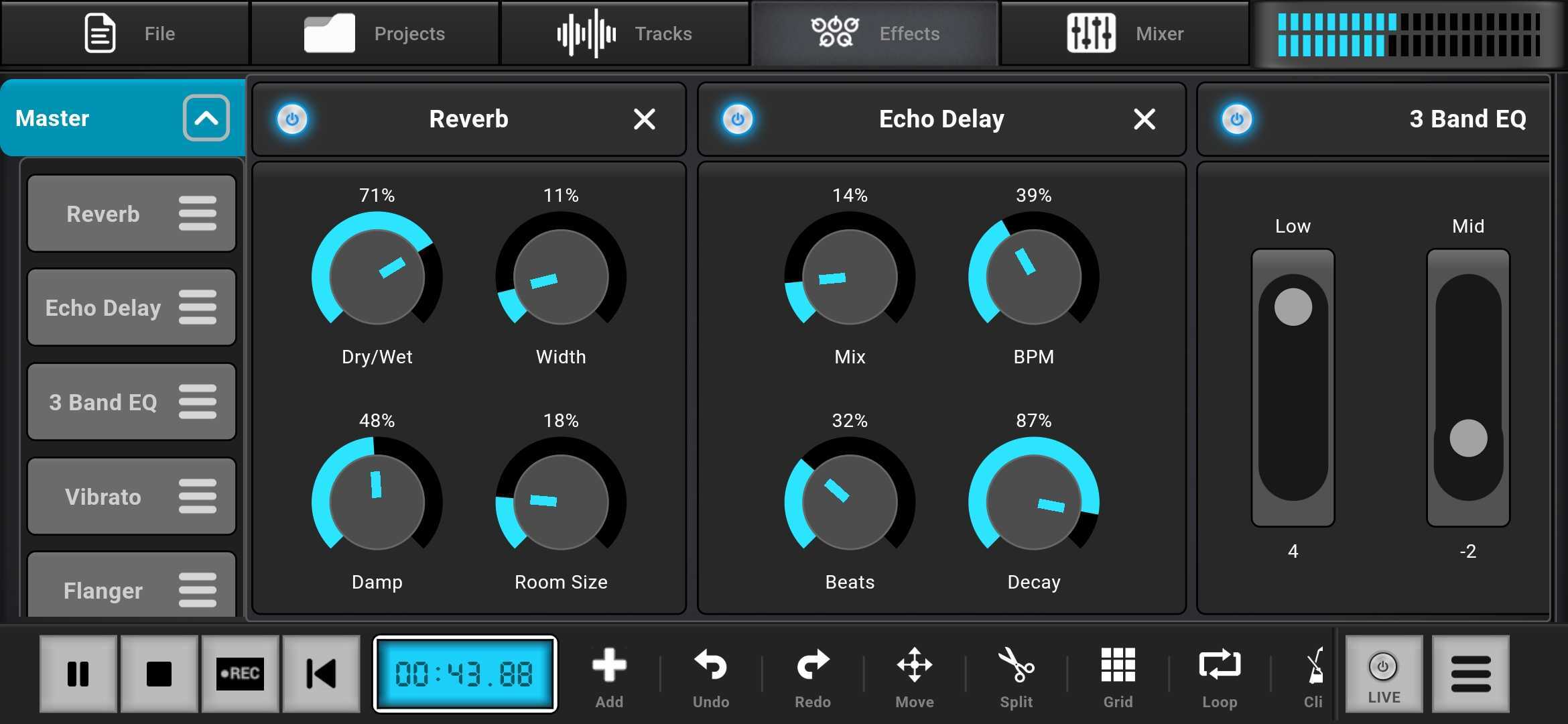
  • Real-time FX: Switch to the Effects tab to apply Reverb, Echo Delay, and Stereo Widen.
  • Precision Knobs: Dial in your sound using the rotary knobs for Wet/Dry mix, Room Size, and Dampening.
  • EQ Mixing: Use the 3-Band or MultiBand EQ sliders to sculpt frequencies from 63Hz up to 8kHz.
  • Live Monitoring: Visual feedback in the top right corner shows your output levels to prevent clipping.
  • Fader Control: In the Mixer tab, use vertical faders to balance the levels of your vocals, bass, and instruments.
  • Editing Tools: Use the bottom toolbar to Split clips at the playhead, Move audio blocks, or Loop specific sections.
  • Grid & Snap: Toggle the Grid button to ensure your audio clips align perfectly with the beat.
  • Undo/Redo: Instantly correct mistakes with the dedicated history buttons in the bottom bar.
  • Session Save: Open the Project tab to save your current work or switch between different song sessions.
  • Exporting: Finalize your track by tapping Export Audio to render your mix into a shareable high-quality file.
  • Project Library: Manage your saved files directly within the sidebar for quick access to your projects.

Ready to Master Your Audio?

Download Audio Elements on your preferred device and start creating studio-quality tracks today.

Designed for Professionals

Effects View

Master Effects

Apply real-time reverb, echo, and stereo widening.
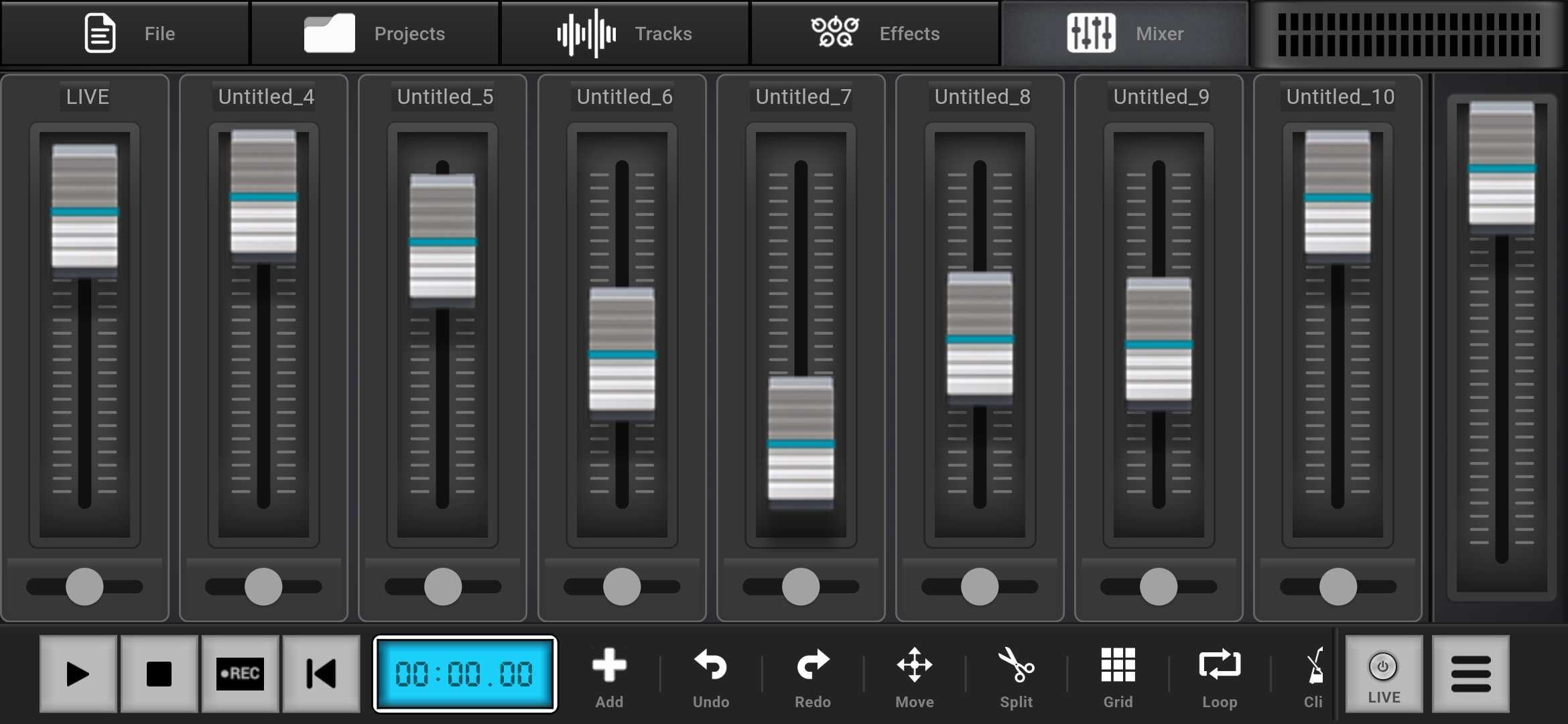
Mixer View

Precision Mixing

Balance your tracks with dedicated vertical faders.
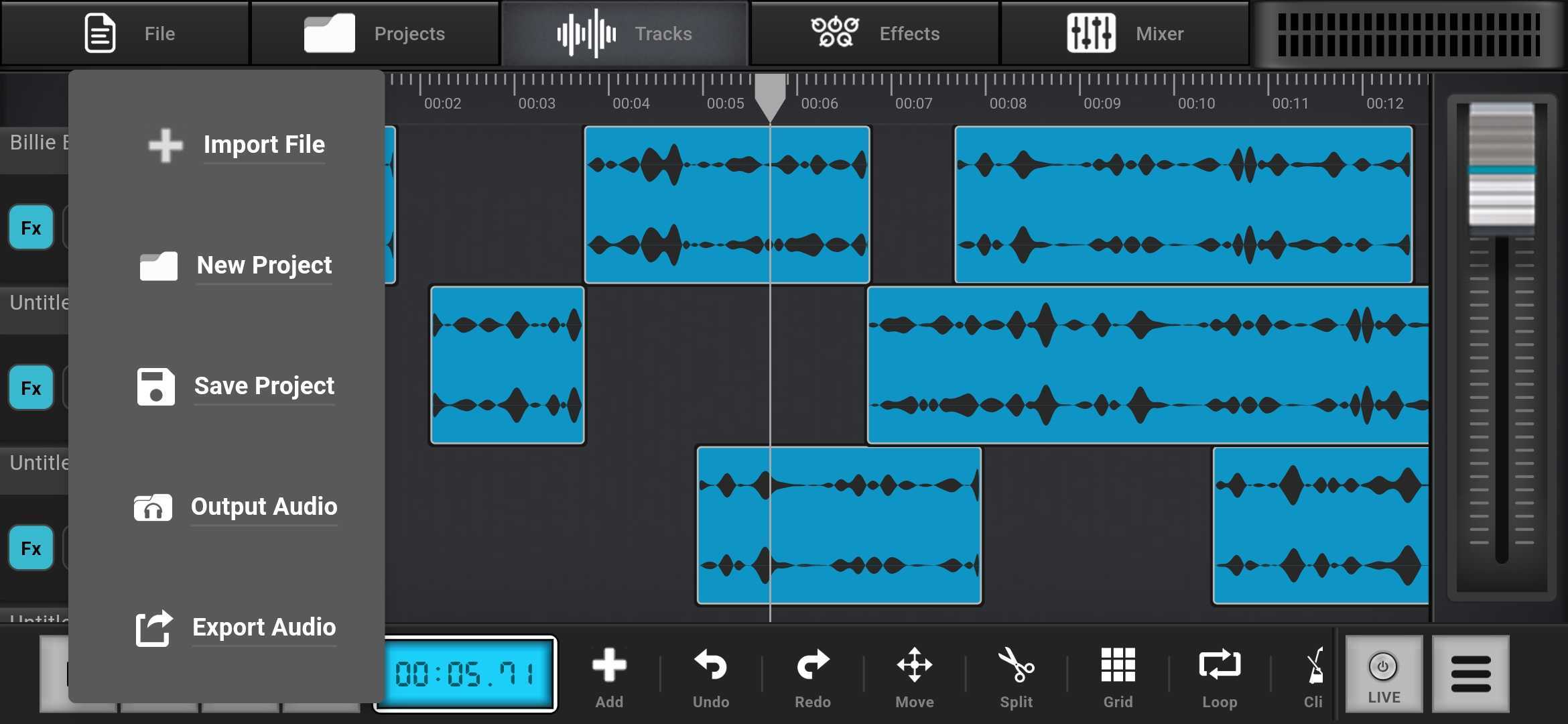
Menu View

Quick Access

Seamlessly navigate between tracks and effects.
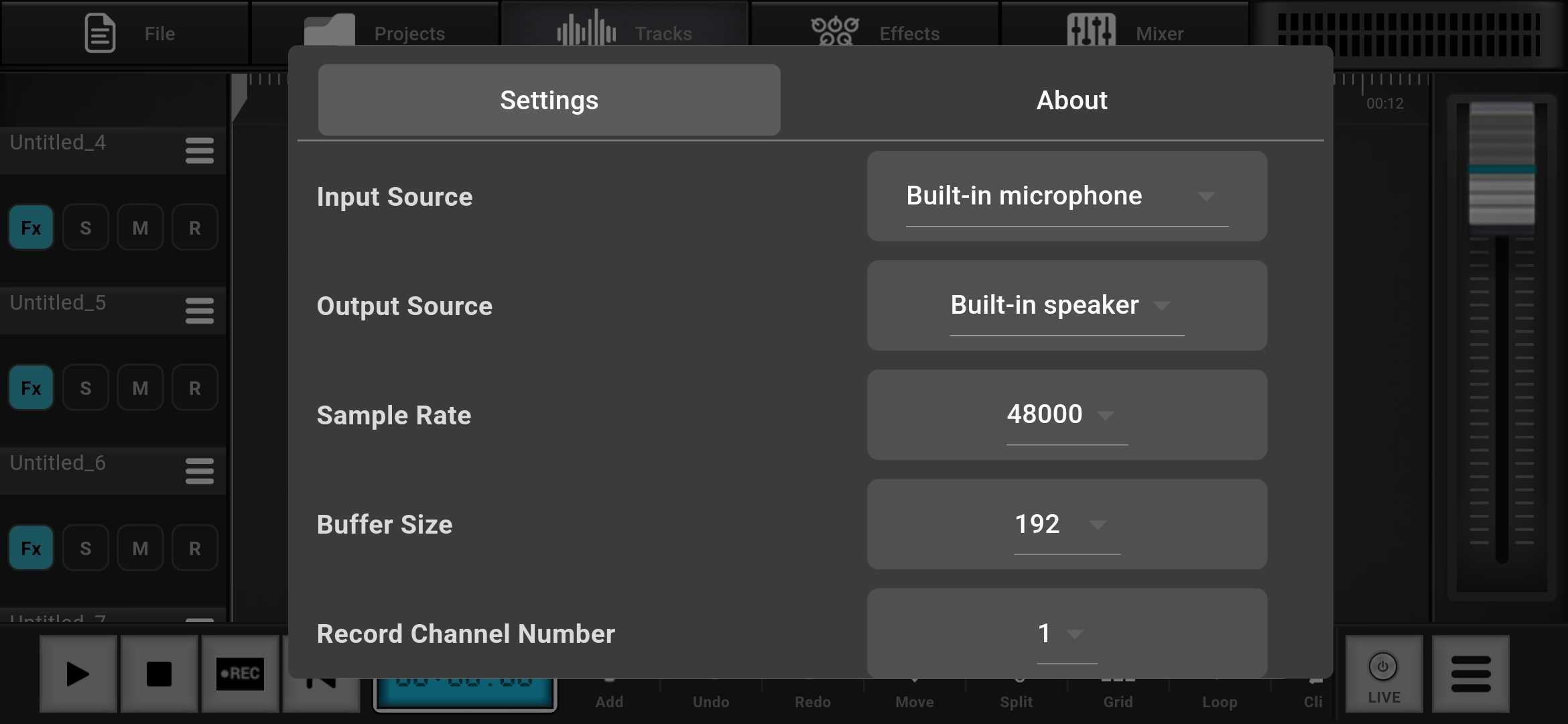
Settings View

Pro Settings

Configure sample rates and output formats to your needs.
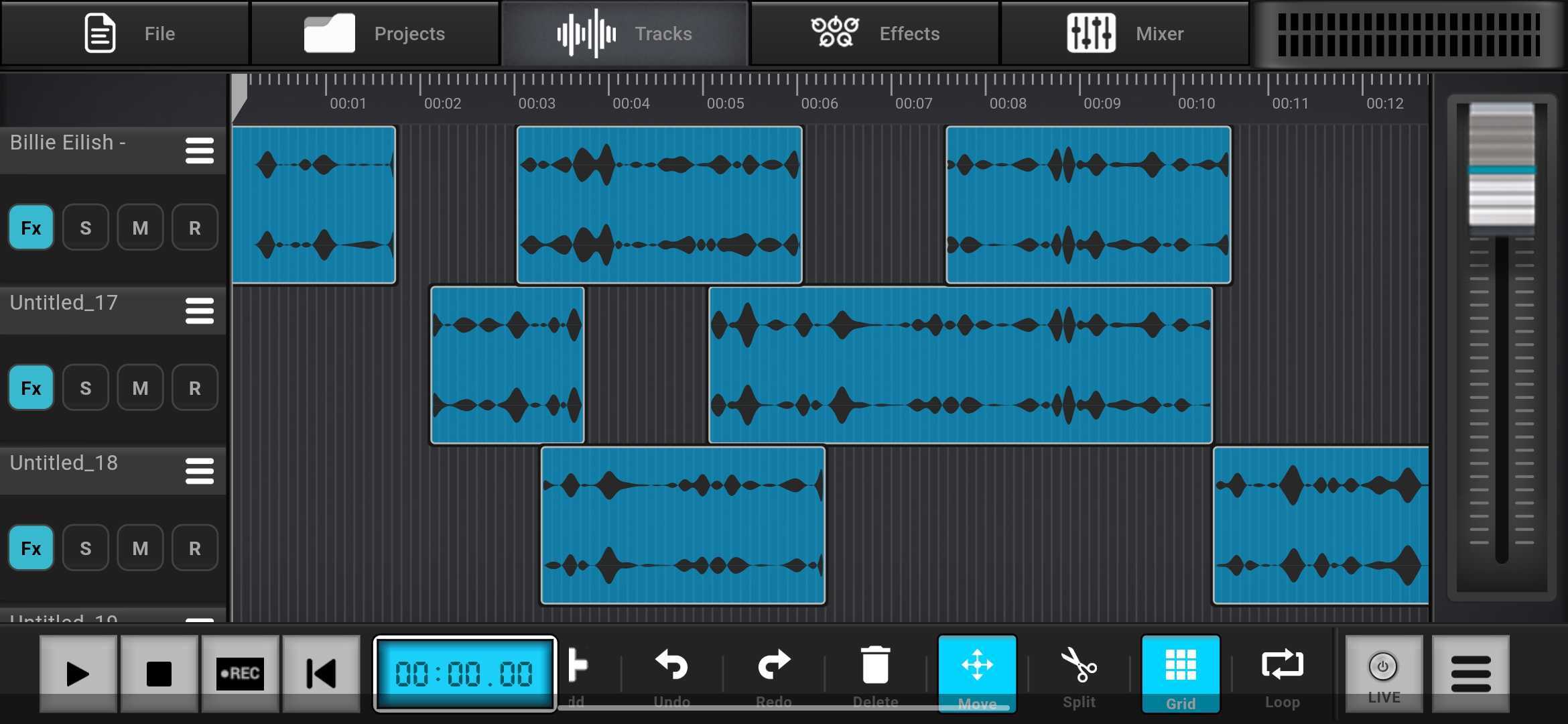
Tracks View

Multi-Track Timeline

Essential

Layer vocals, instruments, and beats with sample-accurate precision.
Promo View

The Studio

A complete DAW experience in the palm of your hand.